Pathmonk calculates conversion rate by dividing the total number of conversions by the total number of valid human visitors within the same time period.
Conversion rate = Conversions / Total human visitors
What does Pathmonk count as a conversion?
A “conversion” refers to the goal/s you have defined in Pathmonk, such as demo bookings, purchases, trial sign-ups, or form submissions.
By default, Pathmonk’s AI interpret both the goal (i.e. reaching a booking page) and the tracked event (i.e. completing the booking) as conversion signals. This is because the algorithm optimizes based on intent progression, not just final outcomes.
Learn more here:
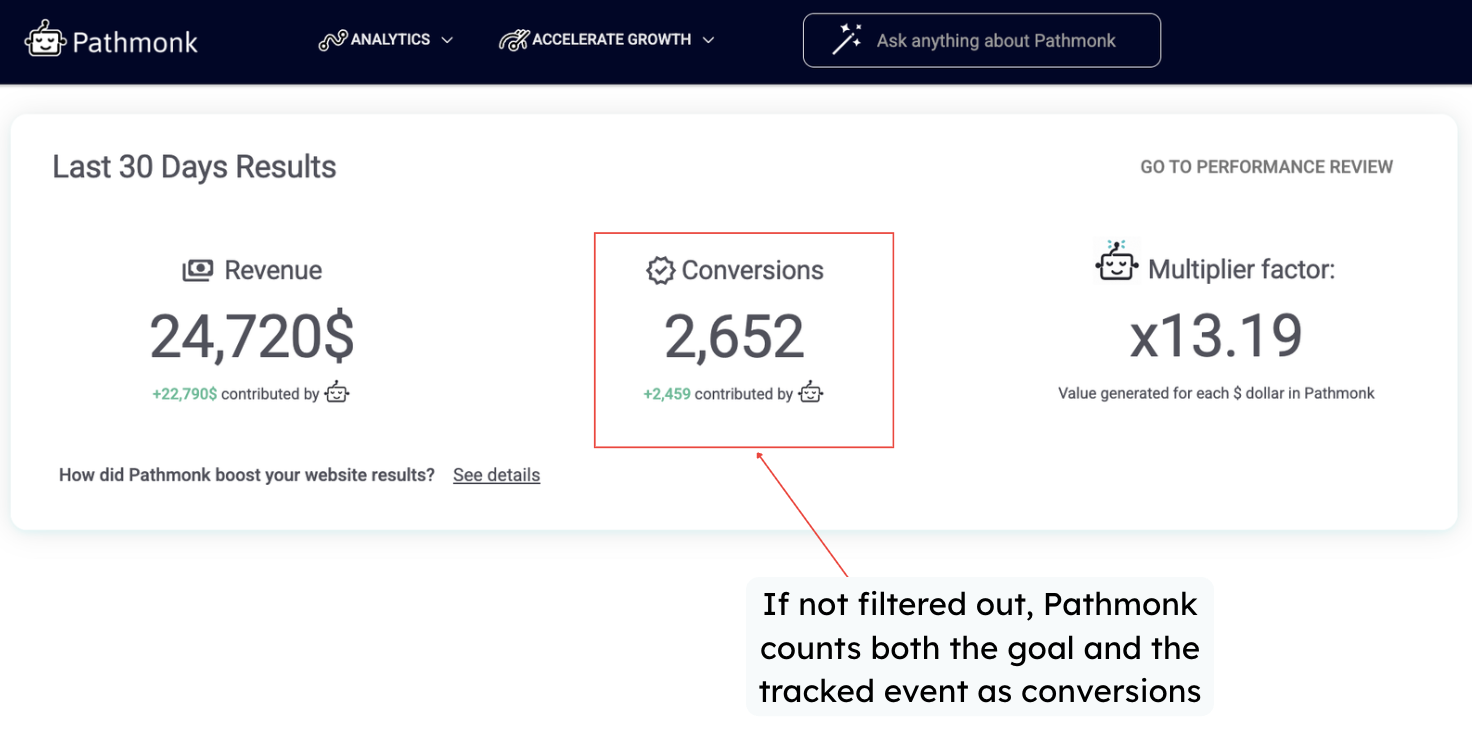
However, when analyzing performance on your Buying Journey or Conversions report, we strongly recommend isolating the final confirmed conversion. This ensures that your reported conversion rate reflects only users who completed the intended action, not those who only reached an intermediate step. This can be configured using filters in your reporting settings. Learn how to check your exact results here.
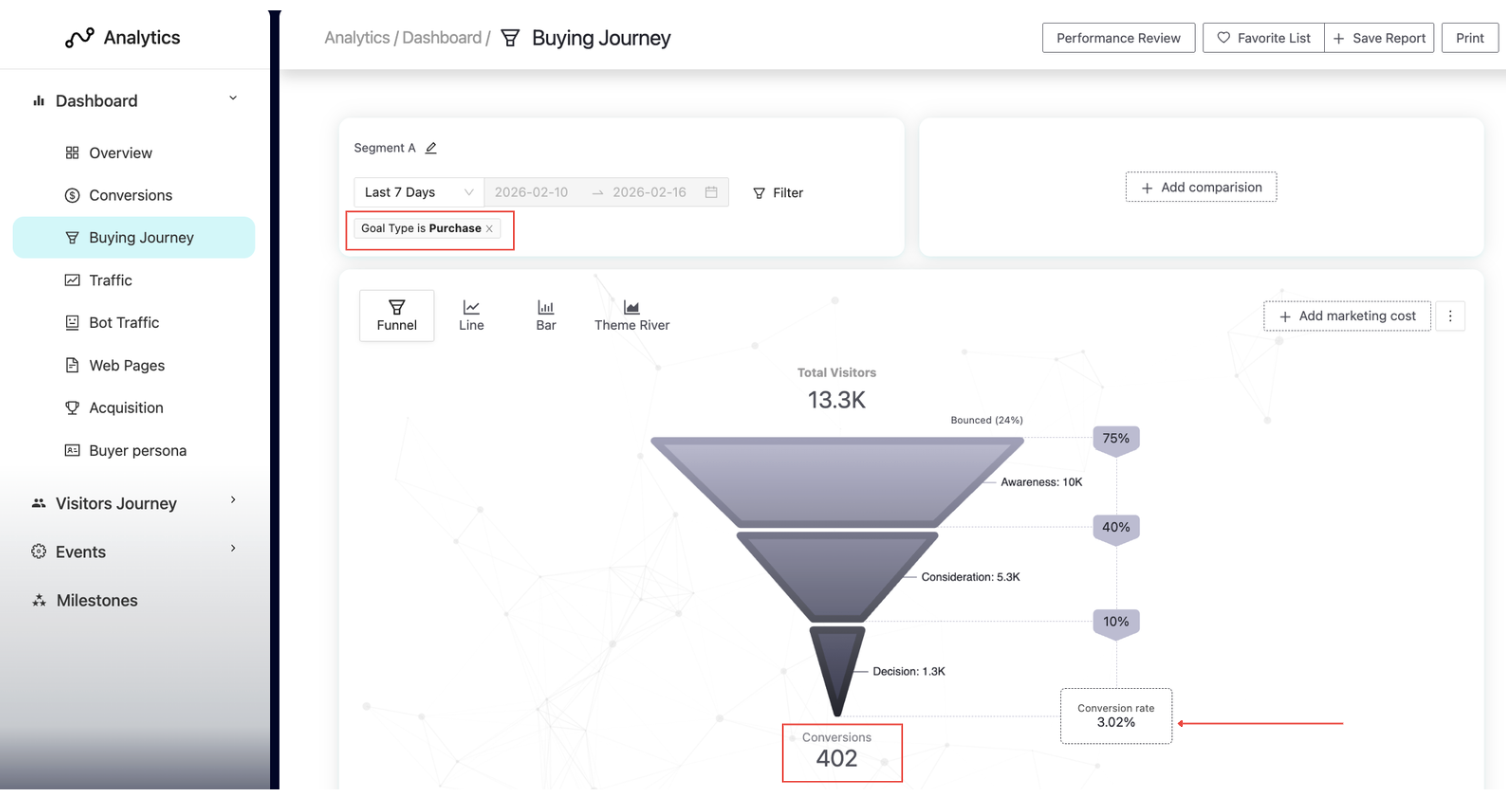
In this example, we have isolated the Purchase conversion, meaning only completed purchases are counted. We see a funnel with 13.3K visitors and 402 sales, resulting in a conversion rate of 3.02%.
By default, Pathmonk excludes detected bot traffic from the funnel. However, you can re-add it by clicking the three vertical dots in the top right corner of the report and enabling the option to include bot traffic (see example below).
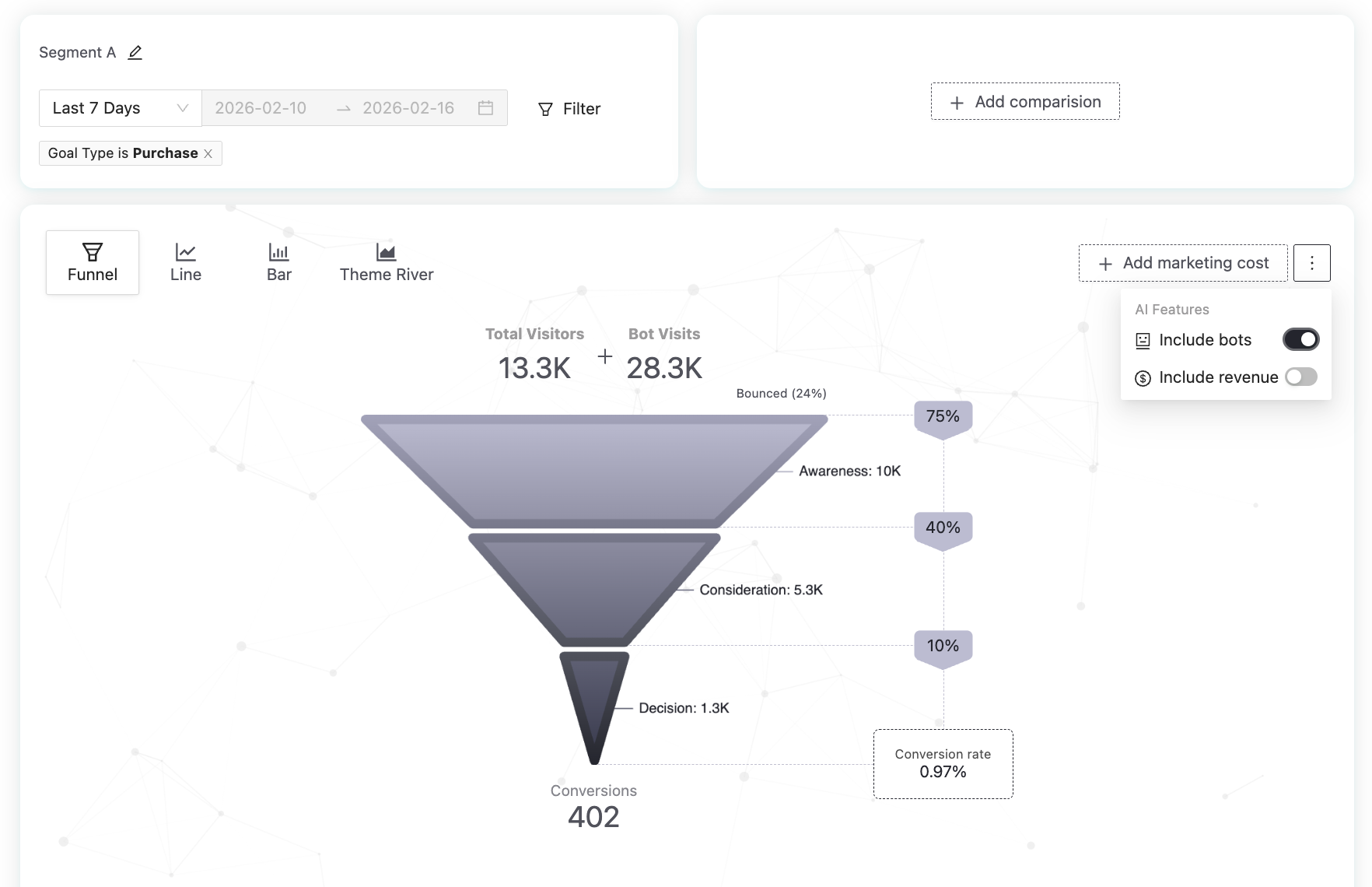
Once bot visits are included, total traffic becomes artificially inflated. Since bots do not convert, the number of sales remains the same, but the denominator increases. As a result, the conversion rate is diluted to 0.97%.
Why might Pathmonk’s conversion rate differ from other analytics tools?
This is due to methodological differences in how traffic and conversions are measured.
1. We count visitors, not sessions
Pathmonk calculates conversion rate based on unique visitors, not sessions or visits. Many analytics tools use sessions as the denominator. If a single user visits your website multiple times, each session may be counted separately. This inflates the denominator and can lower the reported conversion rate.
Pathmonk consolidates activity at the visitor level, providing a clearer view of how many individual users converted.
2. Pathmonk operates cookieless
Pathmonk does not rely on traditional tracking cookies to identify visitors. This means we can measure visitor behavior without requiring explicit cookie consent.
In contrast, tools that depend on consent-based cookies may lose visibility on users who decline tracking. As a result, their reported traffic and conversion numbers may be incomplete or biased.
Cookieless tracking reduces data loss and improves consistency across user segments.
3. Cross-device identification through vectorial fingerprint technology
Pathmonk uses vectorial fingerprint technology to recognize visitors across devices and sessions. This allows us to:
Avoid counting the same person multiple times when they switch devices
Maintain continuity in behavioral analysis
Provide more accurate visitor-level conversion calculations
Other analytics platforms may treat the same user on different devices as separate visitors, increasing the denominator and affecting conversion rate calculations.
4. Bot traffic is excluded by default
Pathmonk excludes detected bot traffic from reporting by default and applies a stricter detection threshold than many standard analytics tools. If bot traffic is included in the denominator, conversion rate is artificially diluted.
Because Pathmonk filters non-human traffic more aggressively, the resulting conversion rate may appear higher compared to tools that include more automated traffic in their calculations.
5. Conversion definitions may differ
Differences can also occur if:
Additional goals are included in one tool but not the other
Intermediate steps (such as landing on a booking page) are counted as conversions in one platform
Time ranges or filters are not aligned
For accurate comparison, ensure that:
The same primary conversion is selected
The same time period is used
Bot traffic inclusion/exclusion is consistent
Visitor vs session methodology is understood
Need help understanding your results?
Get in touch with our team at support@pathmonk.com and we'll help you get the most out of your Pathmonk subscription.
Was this article helpful?
That’s Great!
Thank you for your feedback
Sorry! We couldn't be helpful
Thank you for your feedback
Feedback sent
We appreciate your effort and will try to fix the article